-
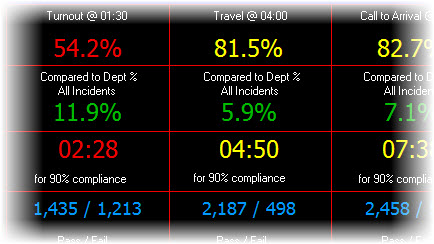
Rapid Accreditation Analysis
Dig deep to analyze and document every aspect of your fire department's performance. See a 241-page statistical report that was printed to PDF in less than 60-seconds. EXAMPLE
view video » -
24 / 7 Performance Monitoring
Between analysis sessions StatsFD monitors performance trends pushing stats and maps to PCs and mobile devices. Narrative updates can be sent via email and/or text message updating as often as you wish. EXAMPLE
view video » -
A Powerful Tool for Fast Results
StatsFD eliminates the time and frustration normally associated with generating performance stats. Simply load your raw data, search for the records to analyze and select from more than 7,200 built-in report formats.
-
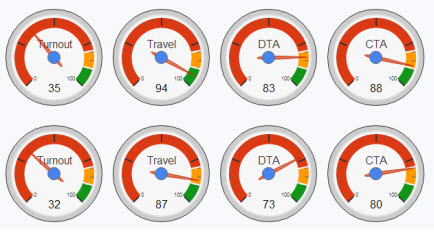
Case Study - Dashboard Motivates F/f's
11-months after an NFIRS 5 Alive user implemented the original dashboard fire fighters are "living and breathing" dashboard stats. EXAMPLE Now the reasons behind the increased motivation are beginning to emerge.
view video »
View
Product

Copyright © 2013 Animated Data, Inc. All Rights Reserved.