"Recover by Tags" works just like Compacting. When you run this procedure it will create a new data file.
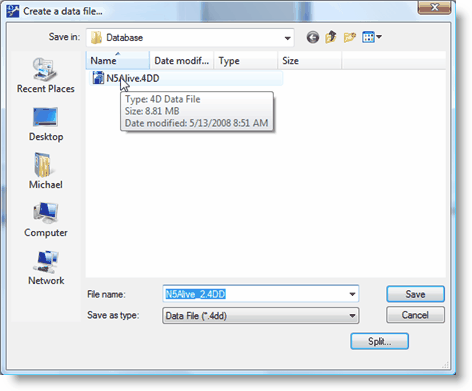
When we Compacted a new data file was created called N5Alive2.4dd. You can see it listed above. Recover by Tags creates a new data file with an extra "_2" in the title. It also creates a new data resource file with an extra "_2" in the title. You see the new data file name in the "File name" field. Press the Save button to create a new data file with Recover by Tags.
After running "Recover by Tags" you must remove the original data and data resource files from the N5Alive folder. This will allow you to rename the new N5Alive_2.4dd to N5Alive.4dd and rename the new N5Alive_2.4dr to N5Alive.4dr. Removing the extra "_2", will ensure the next time you start NFIRS 5 Alive you will be using the new "recovered" data and data resource files rather than the original data and data resource files.